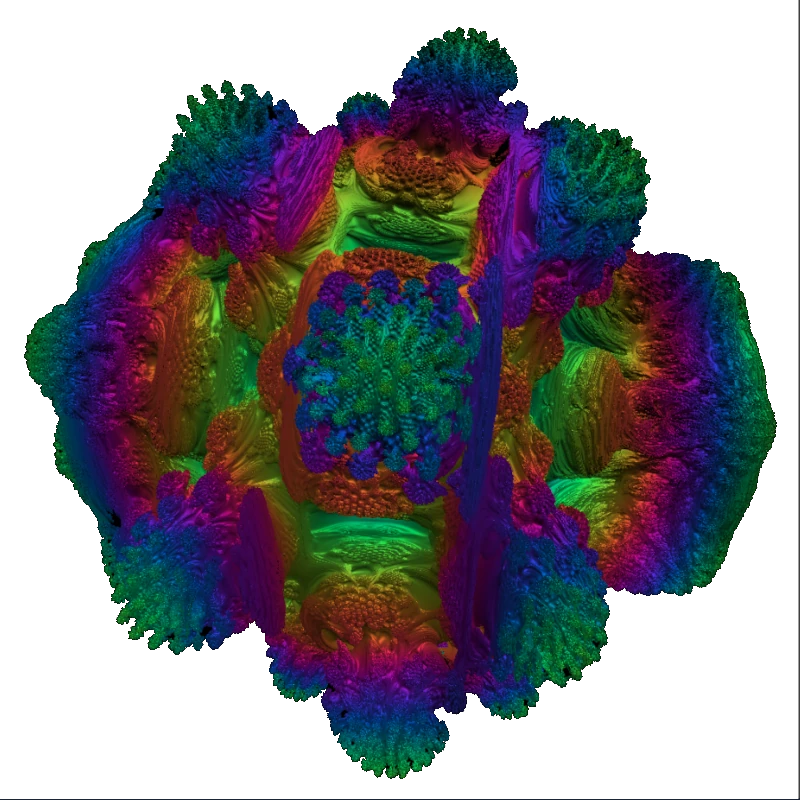
CZNull — browser benchmarks
Measure graphics performance in the tab you already have open
CZNull is a set of WebGL benchmarks for volumetric shaders, particles, texture bandwidth, and more.
Nothing to install — paste a link on a gaming PC or an everyday phone and watch frame times react to the same code path.
What CZNull is for
We publish transparent, repeatable browser workloads so you can sanity-check a GPU before you trust it for games, creative tools, or remote work.
Each scenario targets a narrow part of the pipeline: dense fragment math, volumetric-style shading, sustained draw load, or CPU-side simulation feeding the GPU. That makes it easier to interpret a dip in FPS than with a single opaque number.
Work runs locally inside your browser. We avoid account walls for the core runs so you can walk up to a display model, open the site, and get a reading in minutes.
People arrive from search with different spellings of the name or looking for a specific heavy volumetric scene—the suite is organized so you can find the right stress test whether you are on a flagship Android handset or a tower PC.
Why run it here?
One URL, many devices
Share the same benchmark between a phone on cellular and a workstation on Ethernet to see how thermals and drivers diverge.
Shader-forward scenes
Several runs emphasize per-pixel cost—useful when you care about fill rate, ALU limits, or how a mobile GPU handles a demanding fragment program.
Practical guardrails
Timers, tiers, and exportable metrics help you document a session instead of guessing from fan noise alone.
Snapshot
-
10+
Distinct benchmark pages
-
WebGL
Core rendering API
-
Any OS
Where Chromium, Firefox, or Safari runs
-
Free
No paywall on standard runs
Inside the suite
The full list groups workloads by what they punish—pick the one that matches your question (mobile stability, desktop headroom, or a volumetric shader torture test).
Volumetrics & implicit surfaces
Interactive camera paths through dense math in the fragment stage—closest to what many users mean by a “volume shader” style GPU examination, with a lighter and a much heavier tier.
Animation & stress visuals
Fullscreen fields, palette passes, and sustained overload patterns that reveal throttling and context loss sooner than a static scene.
Bandwidth, particles, and compute-style kernels
Texture-heavy passes, swarms of simulated points, and parallel numeric loops implemented through WebGL 2 draws.
Hybrid CPU + GPU paths
Physics-style stepping on the CPU paired with multi-pass GPU shading for a second opinion when only one side of the machine is suspect.
From landing to a number you can log
Keep conditions boring on purpose—boring setups produce comparable data.
-
Pick a scenario
Start from the hub. Read the short disclaimer, then choose a test that lines up with volumetric shading, raw GPU stress, particles, or memory pressure.
-
Normalize the device
Plug in laptops and phones, disable aggressive battery savers, close streaming and mining tabs, and let the machine reach a steady temperature once before you record.
-
Tune tiers slowly
Begin on low or medium presets. Step up until frame times wobble or the browser warns you—then back off one notch for a sustainable reading.
-
Export or jot notes
Use built-in exports where available and always note browser version, OS build, and whether you were on Wi‑Fi or AC power.
Before you press start
Browser
- ✓ Current stable Chrome, Edge, Firefox, or Safari with hardware acceleration enabled.
- ✓ WebGL 2 for compute-oriented pages; older WebGL 1-only hardware can still run several volumetric and stress paths.
- ✓ Keep the benchmark tab focused—background tabs are often throttled and will lie about FPS.
- ✓ If scores look wrong, try a private window to rule out extensions that inject scripts or limit canvas size.
Hardware
- ✓ Discrete GPUs usually scale further on the advanced volumetric and multi-pass scenes; integrated graphics remain valid for relative comparisons on the same chip generation.
- ✓ Phones and tablets thermally sag quickly—run short timed segments and repeat after cooldown if you are comparing handsets.
- ✓ Expect audible fans on desktops; stop if components feel beyond their comfort zone.
- ✓ Driver and OS updates change timings; record the versions whenever you publish or share results.
Privacy in plain language
The heavy math executes on your machine. We do not need your identity to show frames per second, and typical visits behave like any other static site from a logging perspective.
Benchmark output reflects that moment’s thermals, background apps, and power source. Treat numbers as directional signals, not certification.
Policies and a contact route live on dedicated pages if you need documentation for compliance or press.
Common questions
- Is this an app from an app store?
- No. CZNull is a website. Open it in a normal browser; some users bookmark individual tests such as the advanced volumetric page under /tests/vsbm/ for quick access.
- Does running a test damage hardware?
- The workloads are intentionally intense and may heat the system. Pause if you notice excessive heat or instability. This is informational testing, not a manufacturer validation program.
- Can I run the same check on Android and a PC?
- Yes—that is the point of a browser benchmark. Use the suite index, match browser families where you can, and compare under similar power settings.
Start on the device in front of you
Jump into the catalog and choose a volumetric, stress, or bandwidth scenario that fits your hardware story.
Go to benchmarks